How long does the tracker take to charge?
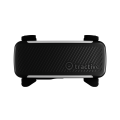
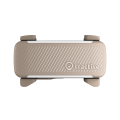
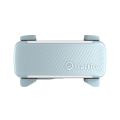
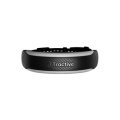
Charging time depends on your tracker model. DOG 6 takes under 2 hours to fully recharge, while the CAT 6 Mini takes up to 2 hours. DOG 6 XL takes up to 3 hours to charge, and XL Adventure up to 4.5 hours.


Enjoy up to 2 weeks of battery life with the DOG 6. For the DOG 6 XL (for dogs over 20 kg), track for up to an incredible 6 weeks.

Track for up to 7 days with the CAT 6 Mini. No daily charging needed.

Power up quickly and get back to tracking in no time.

Power Saving Zones help save battery when your pet is at home by using trusted Wi-Fi networks to minimize power use.
Up to 14 days
of battery with the DOG 6
Track your pet for up to 14 days before recharging
Up to 6 weeks
of battery with the DOG 6 XL
Our DOG 6 XL and XL Adventure trackers offer the longest battery life. Perfect for big dogs that are more active!
165%
more battery life on average with Power Saving Zones
Pet owners can create a PSZ with any trusted Wi-Fi network, at home or abroad!
| Tracker Model | Regular Usage with Power Saving Zones | Regular Usage without Power Saving Zones |
|---|---|---|
| CAT Mini | Up to 5 days | 2 days |
| CAT 6 Mini | Up to 7 days | Up to 4 days |
| DOG 6 | Up to 14 days | Up to 6 days |
| DOG XL Adventure | Up to 30 days | Up to 15 days |
| DOG 6 XL | Up to 42 days | Up to 20 days |

Pet owners say
“I can definitely recommend the XL trackers. We charged ours nearly two weeks ago, and they still have almost 70% of battery left!”
Keira
Colorado, USA
Charging time depends on your tracker model. DOG 6 takes under 2 hours to fully recharge, while the CAT 6 Mini takes up to 2 hours. DOG 6 XL takes up to 3 hours to charge, and XL Adventure up to 4.5 hours.
Battery life varies by model and how you use your tracker. The CAT 6 Mini lasts up to 7 days with a Power Saving Zone and up to 4 days without. The DOG 6 lasts up to 14 days with a Power Saving Zone and up to 6 days without. DOG 6 XL and DOG XL Adventure offer the longest battery life, up to 6 weeks and 4 weeks respectively. Frequent LIVE Tracking, especially with very fast update rates, will drain the battery more quickly. If you use it only occasionally, battery life is significantly longer.
Power-Saving Zones (PSZ) can help extend battery life. If the tracker is within your home's Wi-Fi network or another trusted location, it uses less power by pausing location updates until the pet leaves the area. When your pet moves outside of the WiFi range and the tracker no longer detects the WiFi network, the tracker starts to report GPS positions again, and you can track your pet.
You can create up to five Power Saving Zones per tracker, such as one for your home and another for a trusted location like a friend’s house. Simply use the Tractive GPS app to add new zones.
By default, LIVE Tracking is paused in a Power Saving Zone to conserve battery. However, you can still activate LIVE Tracking manually at any time when needed.
Power Saving Zones can be created using any trusted Wi-Fi network. However, a Base Station is useful in areas with unreliable Wi-Fi.
Yes. Once you set up a Power Saving Zone, the tracker automatically recognizes and connects to the designated Wi-Fi network whenever it is in range.